Animate along a path
Select a layer and a path, and go. The motion trail and the UI move you were going to build by hand, already built.
Sixty of the things you do every day, one click each — path animation, bounce and overshoot, glow and blur, layer styles, captions, and a timeline that stays tidy.
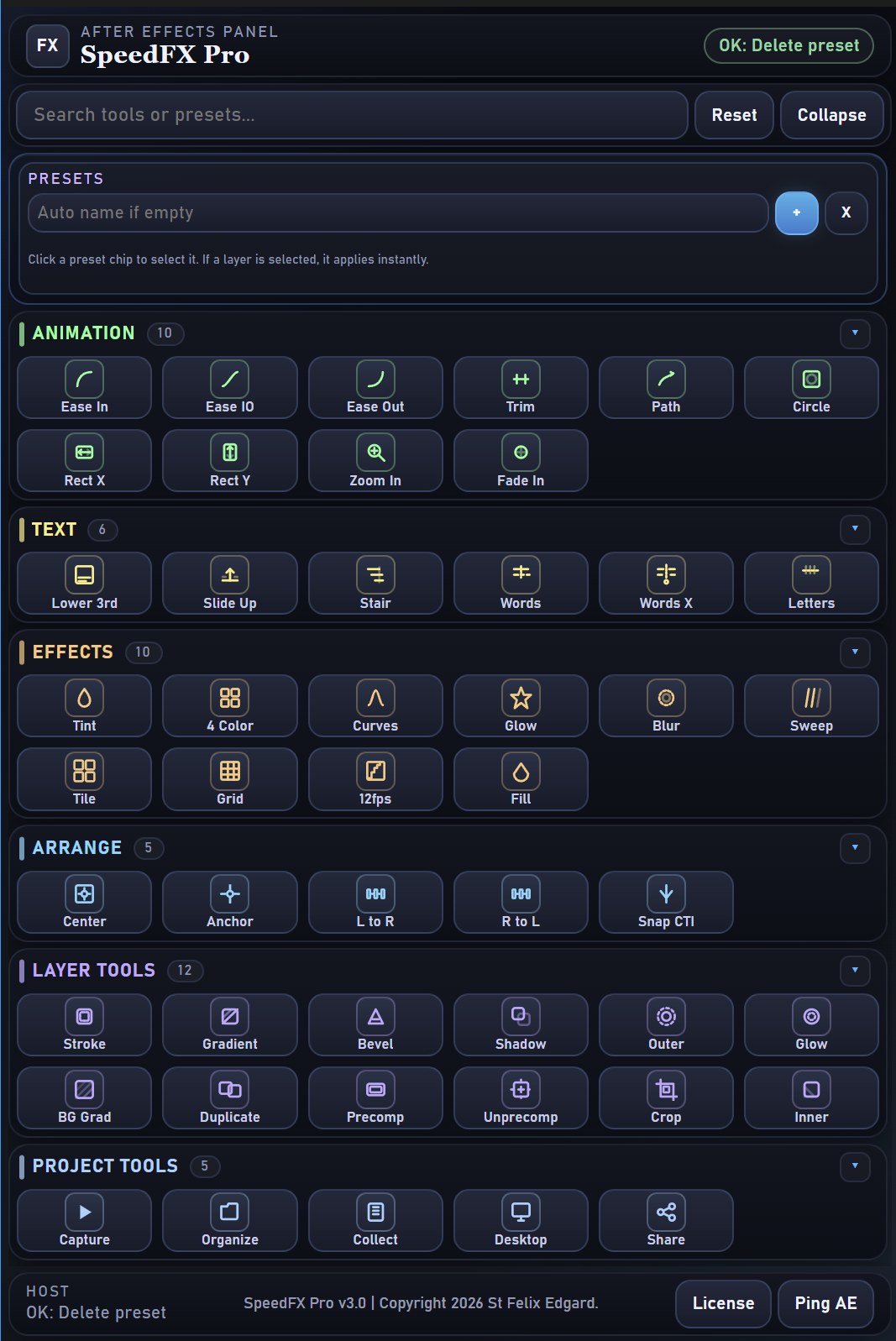
Everything writes ordinary keyframes and effects on your own layers. Nothing is baked, nothing is locked.
Select a layer and a path, and go. The motion trail and the UI move you were going to build by hand, already built.
Dynamic easing applied in one click — oscillation and overshoot with the velocity worked out for you.
Glow, blur, shadows, strokes, gradients and the usual combinations, without digging through menus.
Captions generated and layers grouped, so a project with sixty layers still makes sense tomorrow.
Window › Extensions › SpeedFX Pro, next to your composition.
Pick a layer, click the tool. Nothing to configure before you see the result.
Everything lands as keyframes and effects you can open and change.
2018 through 2025, on Windows and macOS.
Drag the included .zxp into the free ZXP Installer, then restart After Effects. Under a minute.
Yes. They write ordinary keyframes and effects on your layers.
30 days, money back, no questions asked.
One purchase, both platforms, and every update to version 3.